The gap left behind by Dexpot
Before Windows had built-in functionality for virtual desktops, there were several third-party solutions available with a variety of features. One of the more popular ones was Dexpot, a piece of freeware that gave you up to twenty desktops, each with its own windows, and a long list of extras around them: rules for where applications should open, transitions, a desktop preview, per-desktop wallpapers and resolutions. Dexpot also had a feature that allowed your files to switch along with your active workspace, so each desktop could have its own set of icons. Dexpot was in fact one of the only ways to have multiple desktops with different files on them, available as an optional part of its virtual desktop functionality.
When Windows 10 arrived with virtual desktops of its own, the market for third-party managers largely dissolved. The built-in version handled the core use case, separating your windows into workspaces, and did it well enough that maintaining an alternative stopped making sense. Dexpot's last release came around the time Windows 10 arrived, and the app has been unmaintained for about a decade. Most of what it did no longer needs a replacement. With the exception of that one specific feature: separate files and icons per desktop, which has had no equivalent in any official functionality. Windows' rather poorly named "Multiple Desktops" is completely unrelated to the actual files on the desktop surface.
The multiple desktop use case is, as it turns out, a rather niche one. Dexpot is still around, and it still runs, more or less, so the feature can technically be had; but only inside a piece of software a decade past its last release, with no guarantee of continuation and no consideration of modern versions of Windows. The feature sat in an odd position, too small a thing to build a product around in the era when virtual desktops themselves were the product, and too particular to survive as a side feature once the products around it went away.
Multiple desktops with their own files
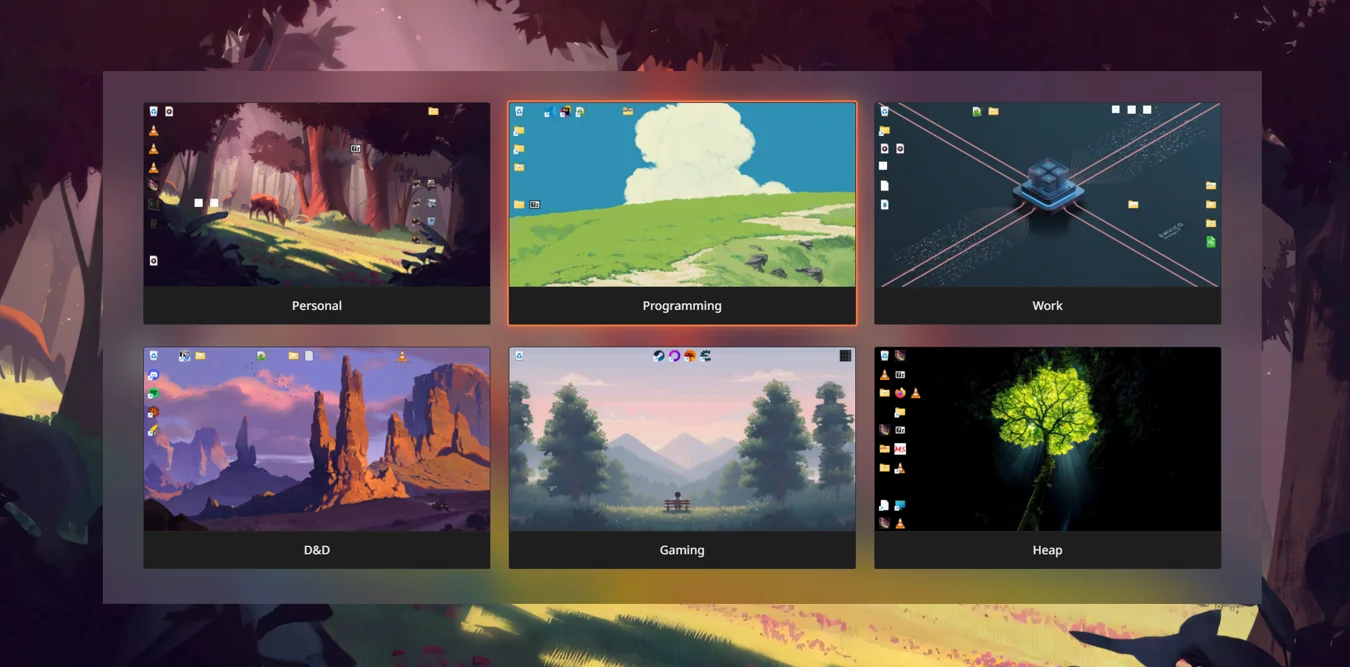
WorkTop is a program for that use case alone. Where in Dexpot this was a minor optional feature, in WorkTop it is the whole program. Each desktop you create is a real folder on disk, and switching changes which folder Windows treats as your desktop, so the files, the shortcuts, and where you left them differ from one desktop to the next. In practice that means a desktop for work and a separate one for the evening, or one per project, each as tidy or as cluttered as suits it.
Switching is a hotkey, and each desktop keeps its own layout, monitors included. The rest of what WorkTop does around that, running commands when a desktop becomes active, switching on a schedule, and so on, is covered in the guides and the docs rather than here.
The virtual desktop half of what Dexpot did is left to Windows. WorkTop does not manage windows or workspaces itself. Instead, it lets you link its desktops to Window's virtual desktops, so that a native workspace switch also swaps out the active desktop folder. This optional feature lets you switch your entire workspace, windows, files, and all; just like how Dexpot used to. Instructions on how to set up virtual desktop linking is covered in How to get different icons on each Windows virtual desktop.