
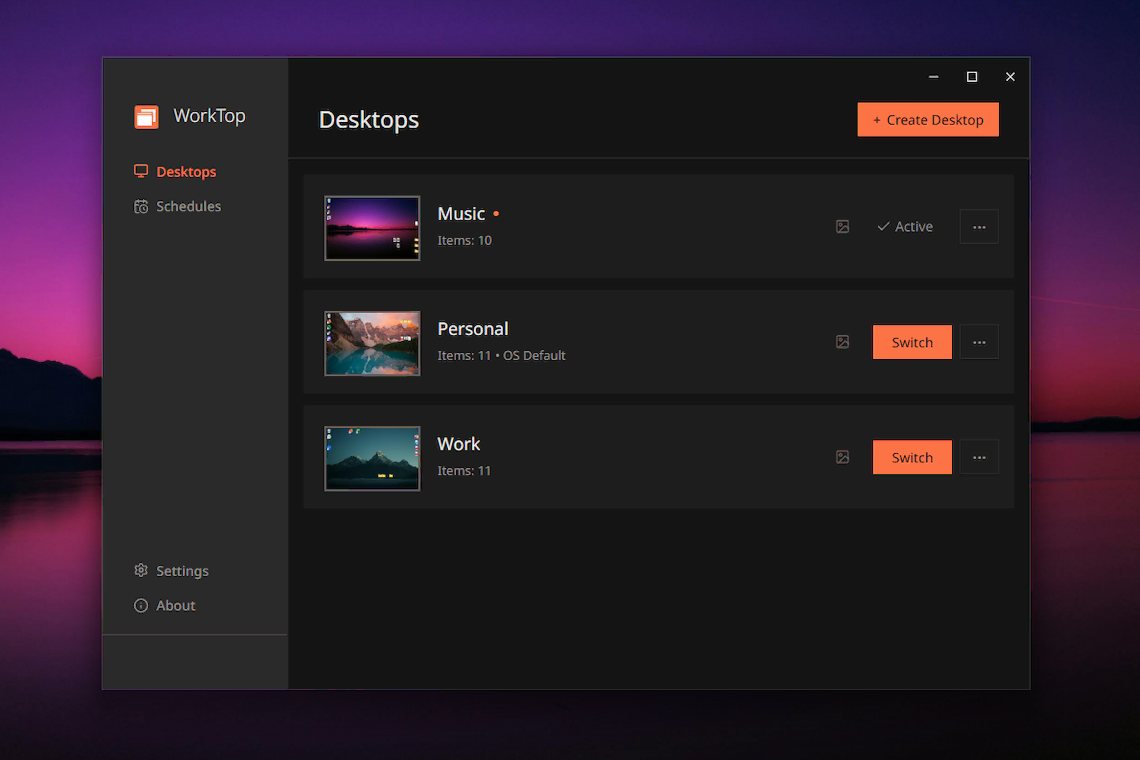
WorkTop
Version 1.4.2 • September 2026
Compatibility
- Windows 10 or Windows 11 (x64 or ARM64)
Also tested with Windows 8.1, not officially supported. Learn more
License Tiers
Free: OS Desktop + 2 custom desktops
Pro ($14.99): Unlimited desktops, wallpapers, schedules
Release Notes
Changelog
[1.4.2] - 2026-09-21
Added
- Hotkeys: switch to a desktop with Alt+1 to Alt+9, modifier configurable.
Changed
- Per-desktop wallpapers while virtual desktop linking is on. Configurable.
Fixed
- White icon flash on desktop switch.
- Actions page controls pushed out of view by a long command.
- Background image cache growing without limit.
[1.4.1] - 2026-09-06
Changed
- Improved update integrity checks.
Fixed
- Usernames with apostrophes breaking updates.
- Desktop name collision bug during uninstall.
- Error report username scrubbing bug.
[1.4.0] - 2026-08-28
Added
- Custom desktop folders: choose the folder a new desktop's files live in, at create time or with a default location setting.
- A "Keep this location" option on the unrecognized desktop location dialog.
Fixed
- App freeze when switching desktops from the Manager while the Public Desktop contains files.
- Startup failure when the system tray is slow to appear.
- Slow memory growth during desktop switching.
- Desktop names containing : or | breaking the File Explorer menu.
- Update prompt naming a wrong version after an interrupted update.
- Doubled event handling after reopening the Manager window.
- Shell extension not working in a second Windows user session.
[1.3.1] - 2026-08-17
Fixed
- Shell extension bug crashing other applications.
- Crash when switching desktops with an image on the clipboard.
- Startup failure caused by unrecognized folders in the data folder.
- File permissions issue affecting other user accounts after an update.
- Actions page scrolling.
Changed
- Icon layout saving is more robust during display configuration changes.
- More accurate icon matching when restoring layouts.
[1.3.0] - 2026-07-23
Added
- Saved layouts: save a desktop's icon arrangement under a name and restore it at any time.
- Hide data folder: a setting to hide WorkTop's data folder from File Explorer.
- Show tray icon setting: hide the system tray icon and keep WorkTop running in the background.
- A WorkTop menu in the Manager with Check for Updates, Settings, and Quit.
Changed
- Settings reorganized into General, System, and Advanced sections.
[1.2.0] - 2026-05-25
Added
- Actions: run a command automatically when you switch desktops. Free users can create one action; Pro users get unlimited.
Fixed
- Slideshow wallpapers with multiple source folders now restore all of them, not just the first.
[1.1.2] - 2026-05-14
Fixed
- Shell extension reliability issue
[1.1.1] - 2026-04-16
Fixed
- Version information
[1.1.0] - 2026-04-15
Added
- Virtual desktop linking: link WorkTop desktops to Windows virtual desktops for automatic switching
- Monitor arrangement aware layouts: layouts now restore correctly if monitor arrangement changes and on monitor reconnect.
[1.0.2] - 2026-04-08
Changed
- small improvement to installer
[1.0.1] - 2026-04-07
Changed
- Hotkey now supports other modifiers than ALT
Fixed
- Wallpaper thumbnail generation issue
- Better handling of different wallpaper modes
- Quick switcher index bug
[1.0.0] - 2026-04-04
Added
- Reduce Idle Memory advanced setting
- Stardock Fences incompatibility warning
- Settings documentation page
Changed
- Dependency version upgrades
Fixed
- Wallpaper preview not updating when unique wallpaper is enabled on empty desktops
[0.10.2] - 2026-03-04
Fixed
- Timing issue when rapidly switching
- State updates when manager window open
[0.10.0] - 2026-03-04
First public beta release.
Added
- Onboarding flow for first-time users
- Scheduled desktop switching (Pro)
Changed
- Improved system tray tooltip